
Step-by-Step Guide
1. Access Zapier Integration
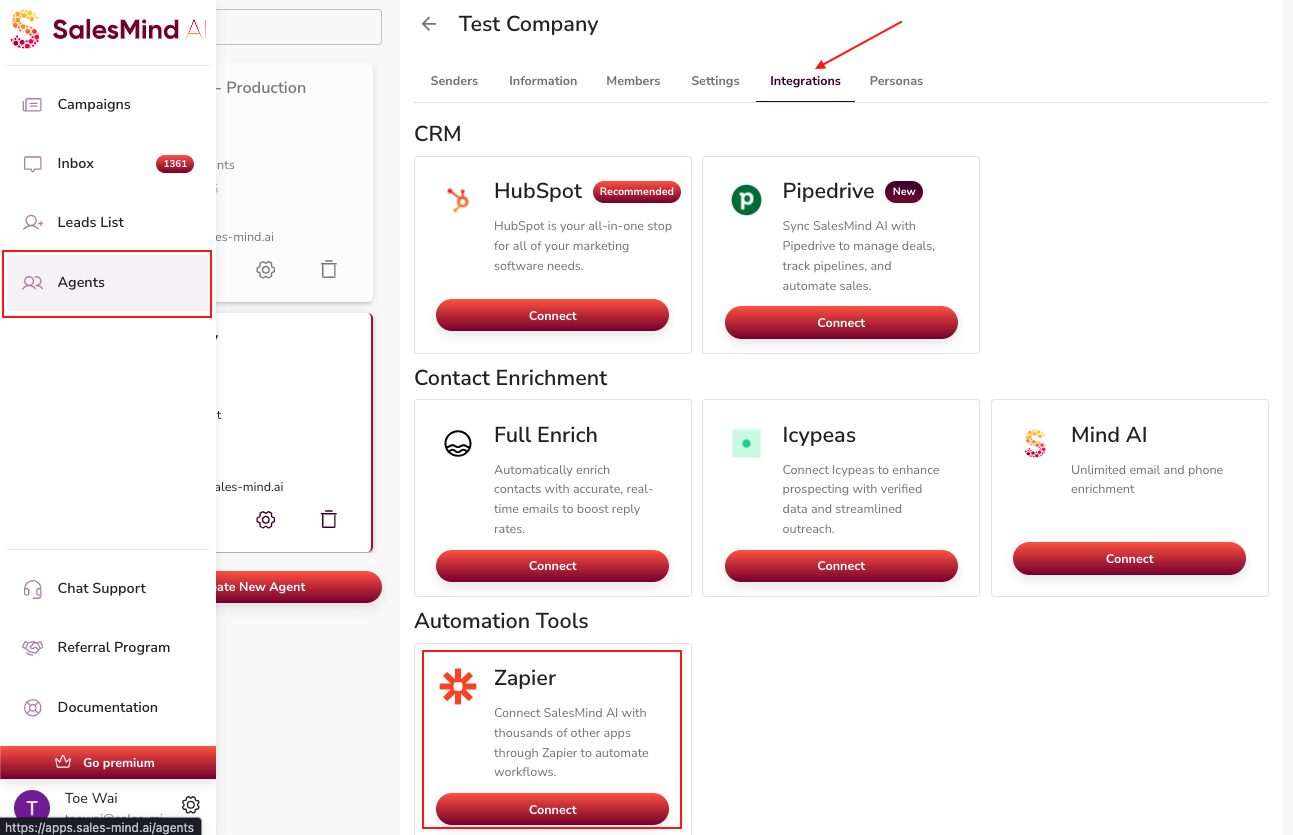
- Navigate to Agents > Integration > Zapier in your QuantumOutbound dashboard.
- Click Connect to start the integration process.
2. Log In or Sign Up
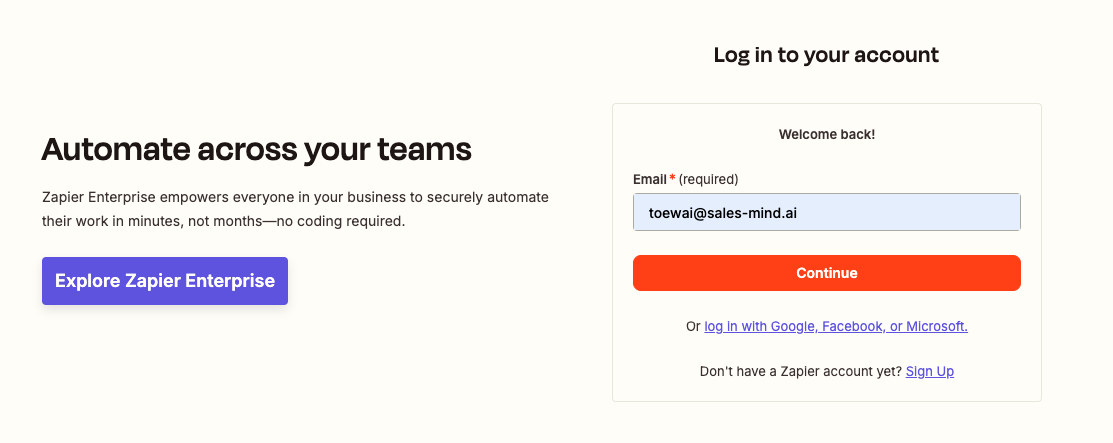
- You will be redirected to Zapier.
- Log in with your existing Zapier account, or sign up if you don’t have an account yet.
3. Accept Invite & Build a Zap
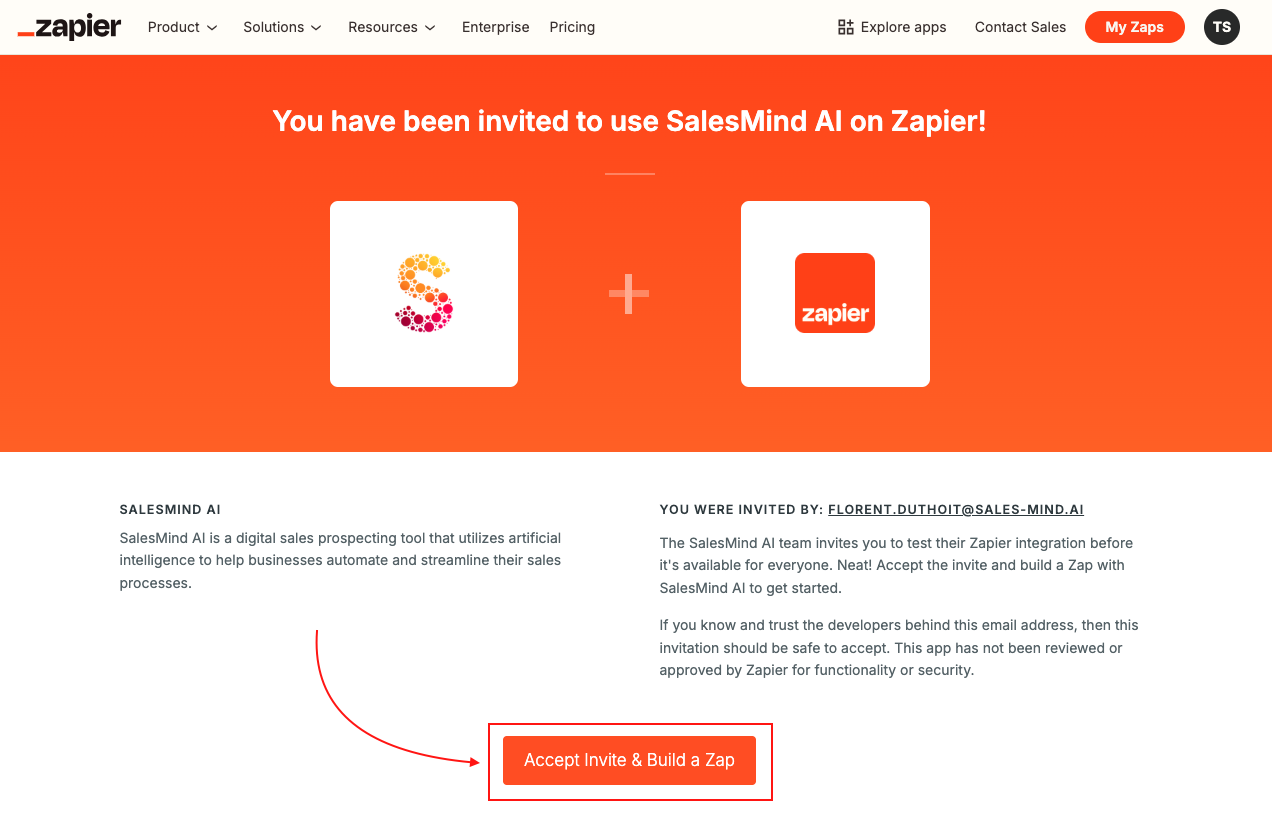
- Once logged in, click Accept Invite & Build a Zap.
- This links your QuantumOutbound account to Zapier and allows you to create automated workflows.
4. Start Automating
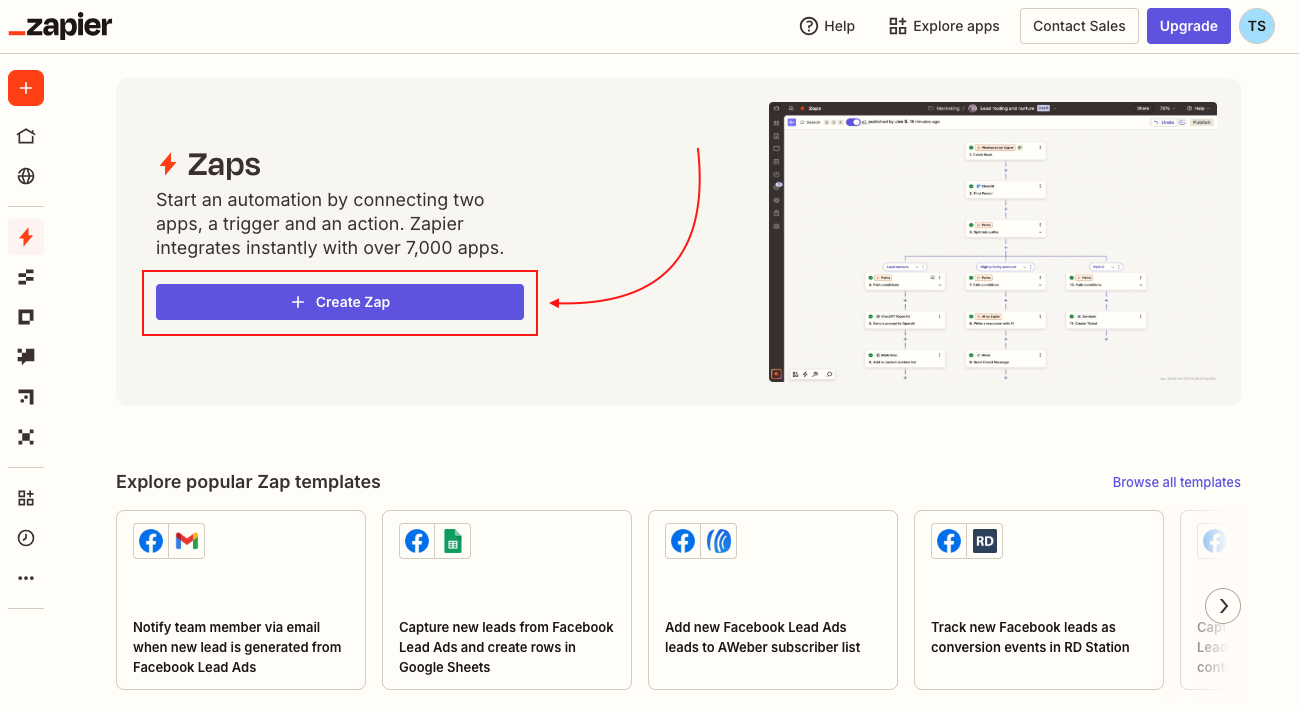
- You can now create Zaps using QuantumOutbound triggers and actions.
- Connect to thousands of other apps to automate lead generation, follow-ups, notifications, and more.
Key Tips:
- Ensure you have proper permissions in QuantumOutbound to connect the agent with Zapier.
- Test your first Zap to confirm that data is flowing correctly before scaling automation.
Explore more about using the new Autopilot features and CRM integration on QuantumOutbound.
Happy Prospecting!