
If your campaign isn't sending messages or connection requests, work through this checklist to find the cause and fix it fast.
Prerequisites
- You have at least one active campaign set up in QuantumOutbound
- Your LinkedIn account is connected via the Chrome extension
- You have leads added to the campaign
1. Leads Already in Another Campaign
QuantumOutbound never contacts the same lead twice across campaigns. If a lead already exists in another active campaign, they'll be skipped automatically.
Leads who are already connected to you will also be skipped if the campaign step includes a connection request.
👉 Note: Check your other campaigns for overlapping lead lists before troubleshooting further.
2. Daily Quota Split Across Too Many Campaigns
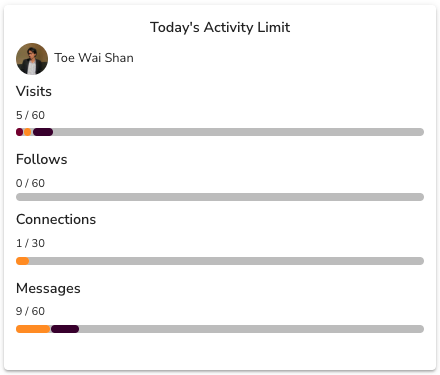
Each LinkedIn profile has daily outreach limits:
- 30 connection requests
- 60 profile visits
- 60 follows
- 60–150 messages
When you run multiple campaigns simultaneously, QuantumOutbound divides this quota between them. A campaign with a small share of the quota may appear to do nothing.
Time zones matter too. Campaigns targeting regions that start later in the day may find the quota already exhausted by earlier campaigns.
💡 Tip: Pause lower-priority campaigns to concentrate your daily quota on the ones that matter most.
3. Campaign Settings Blocking Activity
Your campaign may be configured to skip certain days, hours, or countries. If a campaign shows zero activity on specific days, check these settings first.
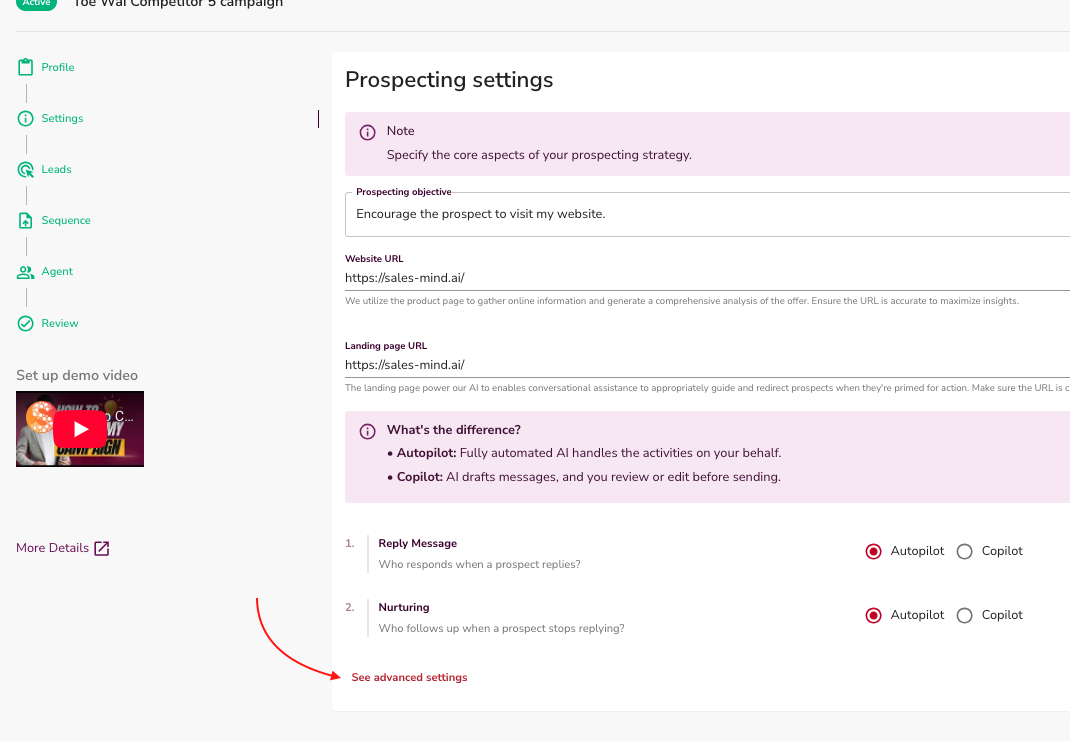
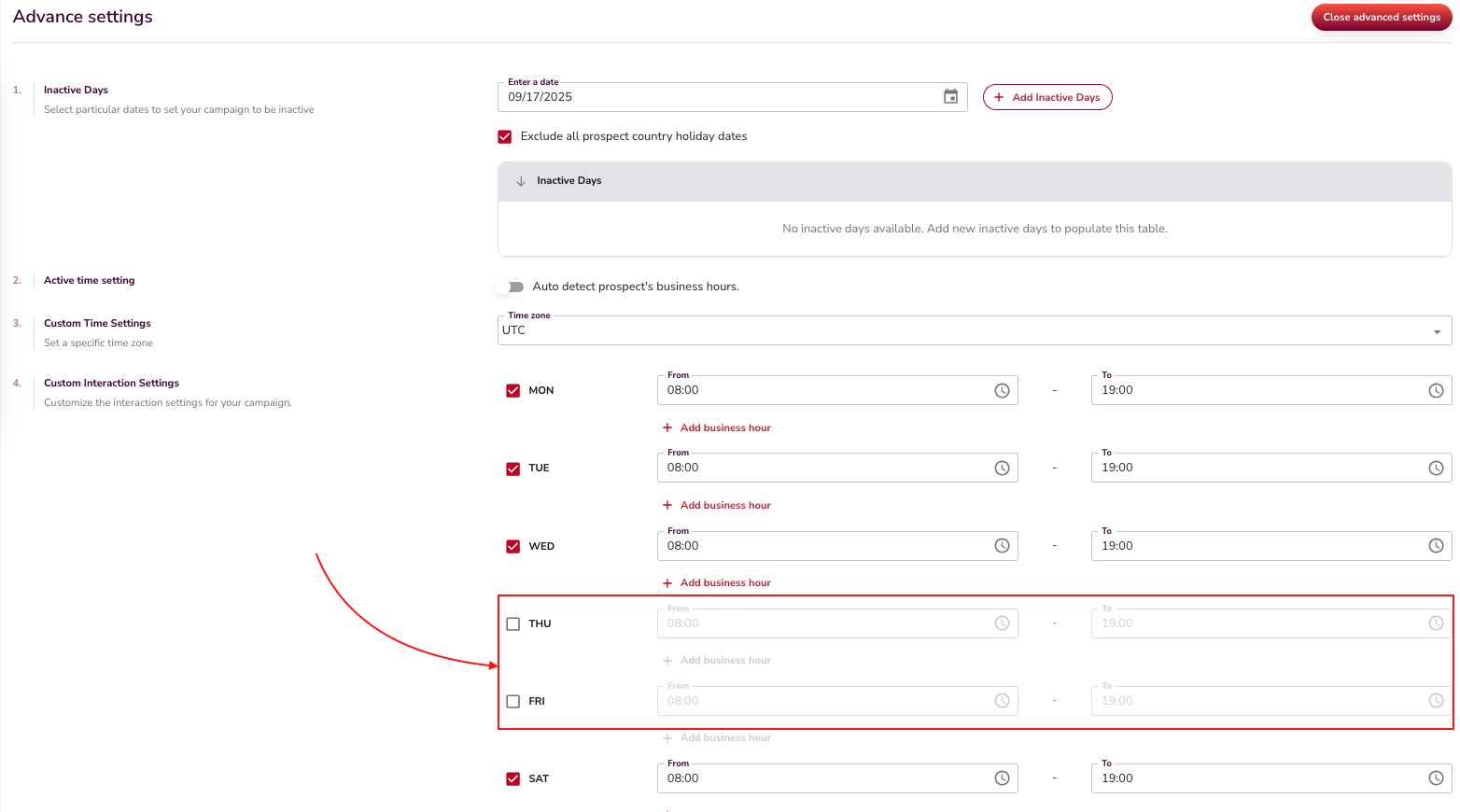
What to check:
- Open the campaign and go to Settings
- Confirm the correct weekdays are enabled (e.g., Thursday and Friday aren't accidentally disabled)
- Check active hours and make sure they cover your target audience's timezone
- Review any country restrictions that might be filtering out your leads
4. LinkedIn Account Disconnected
If your LinkedIn account becomes disconnected, all outreach stops immediately. Common causes:
- You logged out of LinkedIn in your browser
- The Chrome extension was removed or disabled
- The extension lost authorization
How to check: Open your QuantumOutbound dashboard. If the status shows Disconnected, you need to reconnect.
⚠️ Warning: No messages or invitations will send while your account is disconnected, even if your campaigns are marked as active.
See the My Account Has Been Disconnected article for step-by-step reconnection instructions.
5. Message Quality Gate Rejection
Every message goes through a quality check. If the check fails, the message does not ship.
Common symptoms:
| Symptom | Likely cause |
|---|---|
| Campaign runs but sends 0 messages | All messages failed quality checks |
| Some steps are skipped | Some messages passed, some did not |
| You see alerts about grade level | Your Voice DNA writes messages that are too hard to read |
How to check: Look in your Slack or dashboard for quality gate alerts. If you see them, edit your Voice DNA. Use simpler words.
What's Next
- Still not running? Check the My Account Has Been Disconnected article
- Want to optimize quota usage? Review how many campaigns are running in parallel and pause any that aren't urgent
- Seeing errors on specific leads? Those leads may have restrictions on their LinkedIn profiles preventing contact