
Overview
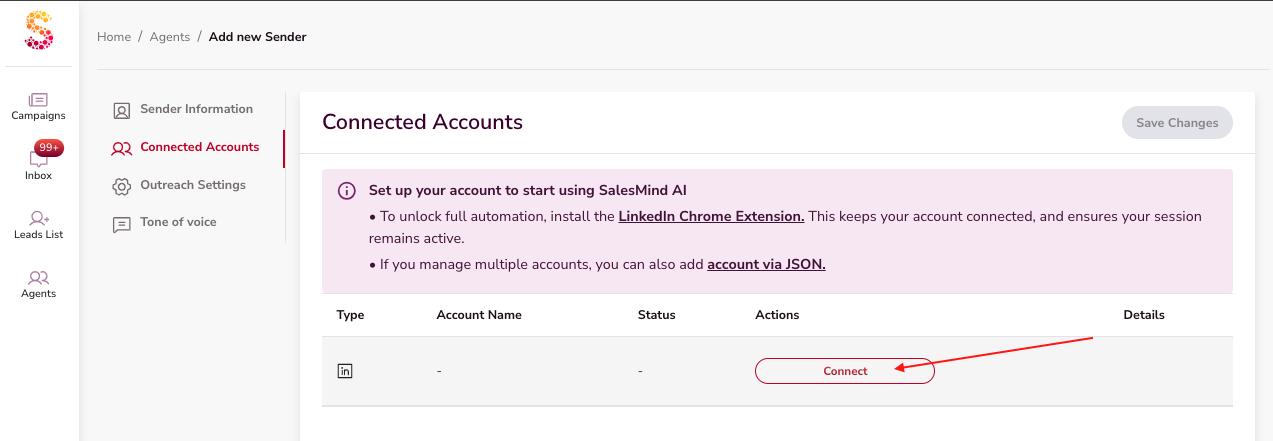
The QuantumOutbound Chrome Extension is required to connect your LinkedIn account with QuantumOutbound. It captures your LinkedIn session cookies so the platform can safely mimic your LinkedIn activity and automate outreach on your behalf.
How to Install and Connect
-
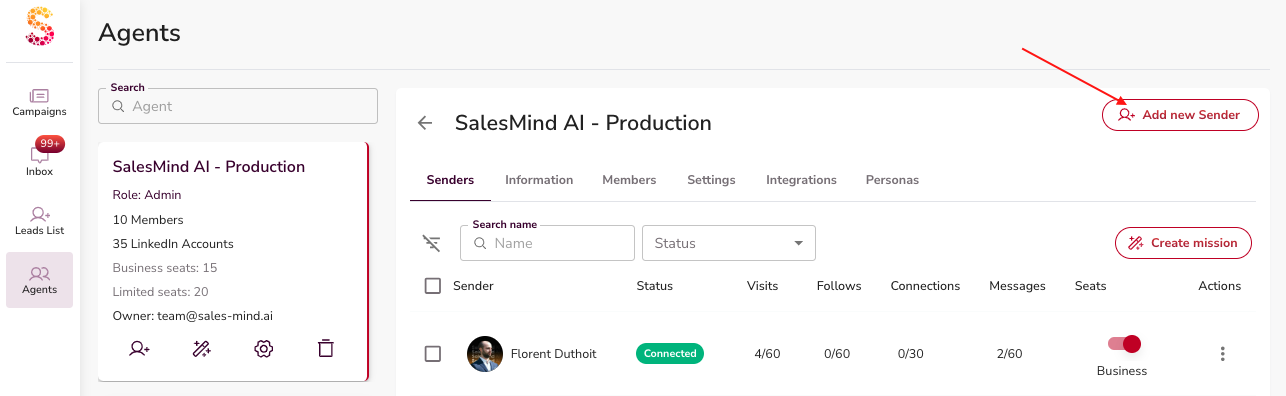
Install the Extension
-
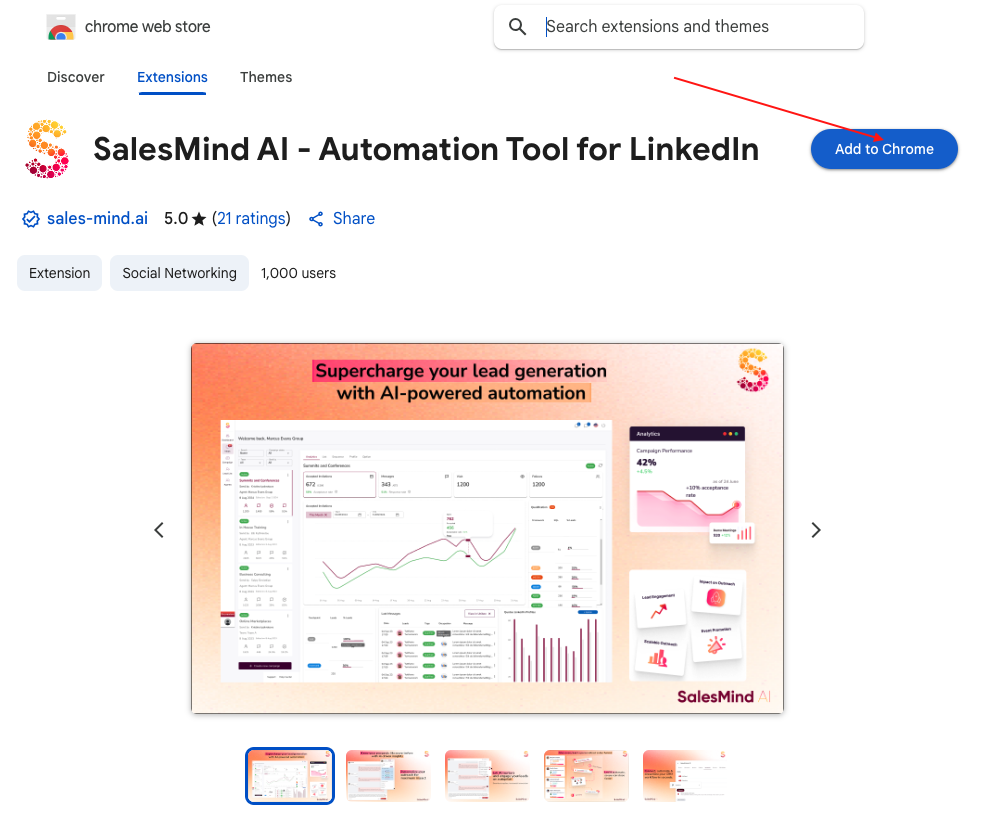
Download the extension from the provided link.
-
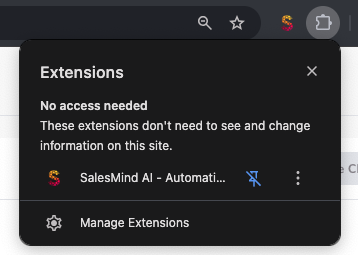
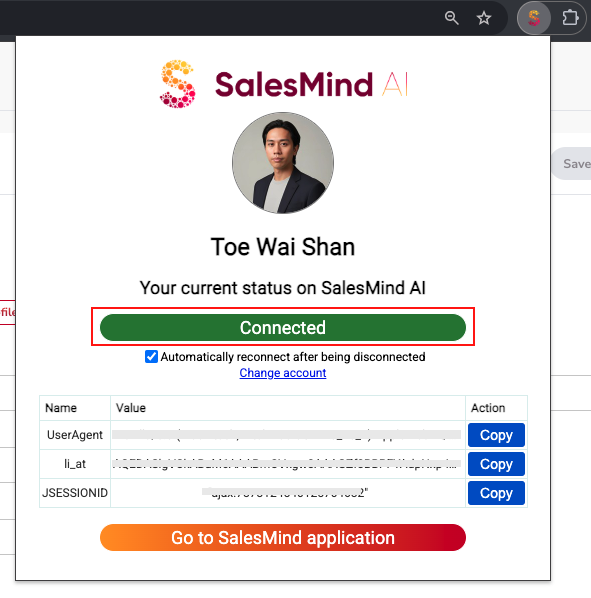
Once installed, you’ll see the QuantumOutbound icon in your browser toolbar.
-
Link Your LinkedIn Account
-
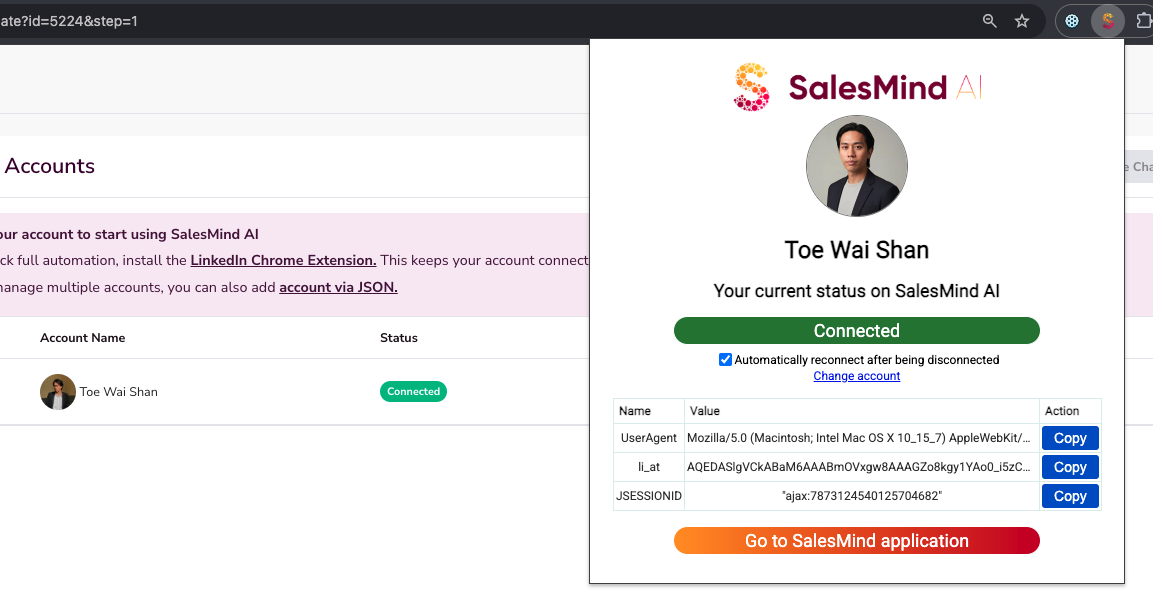
Open the extension and log in to your LinkedIn account.
-
QuantumOutbound retrieves your LinkedIn cookie session (including LinkedIn.com and Sales Navigator if available).
-
This allows QuantumOutbound to perform actions as if you were using LinkedIn directly.
-
Enable Automatic Reconnection
-
LinkedIn and browsers occasionally update or refresh cookies.
-
With the Auto-Reconnect setting enabled, QuantumOutbound will automatically re-establish the connection when cookies update.
-
Switch Accounts (Optional)
-
You can change which LinkedIn account is connected at any time.
-
Simply log out and log in with another account via the extension.
What You Can Do with the Extension
-
Stay Connected
-
Without the extension (or after uninstalling it), QuantumOutbound will no longer have access to your cookies and cannot perform outreach.
-
Open Conversations in QuantumOutbound
-
From a LinkedIn profile, you can open the person’s conversation directly inside QuantumOutbound.
-
Use the QuantumOutbound Inbox
-
Access your full LinkedIn inbox through QuantumOutbound and reply with AI-assisted messages.
-
View Extended Profile Insights
-
From any LinkedIn profile, open the QuantumOutbound profile view to see enriched details about the person and their company beyond what LinkedIn shows.
Key Takeaways
- The extension is mandatory to link LinkedIn with QuantumOutbound.
- Auto-Reconnect prevents interruptions when cookies refresh.
- You can switch LinkedIn accounts at any time.
- Uninstalling the extension disconnects QuantumOutbound and stops automation.
Learn more about why your account has been disconected and how to fix it here.
Happy Prospecting!